Faculty Dashboard
Faculty members at universities juggle more than most people realise. Course management, student tracking, grading, communication, scheduling, all happening across different tools that don't talk to each other. Lectura is a faculty dashboard designed to bring all of it into one place.
Year
2024
Scope
UX Research
Client
Feelance
Duration
2 Weeks
The problem we started with
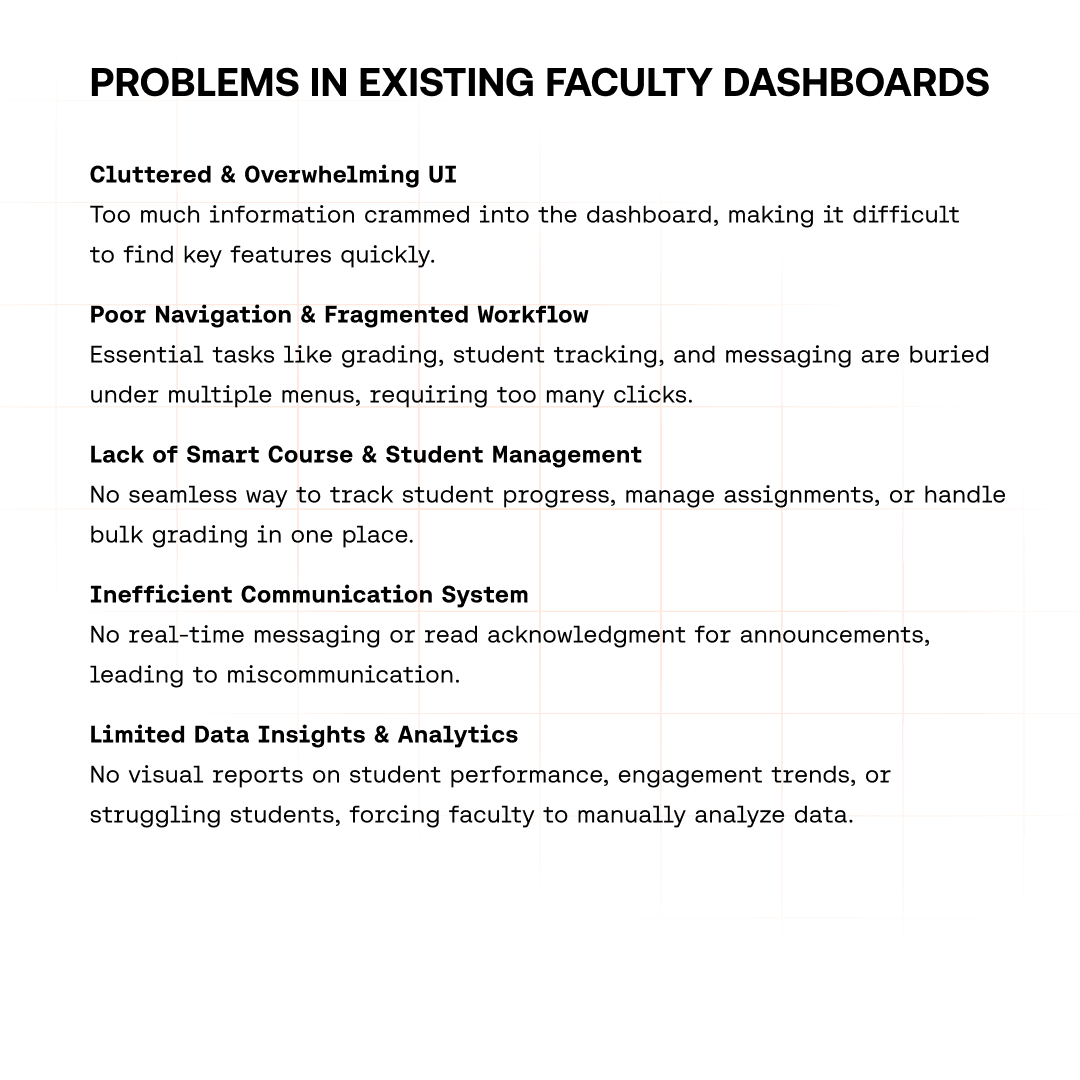
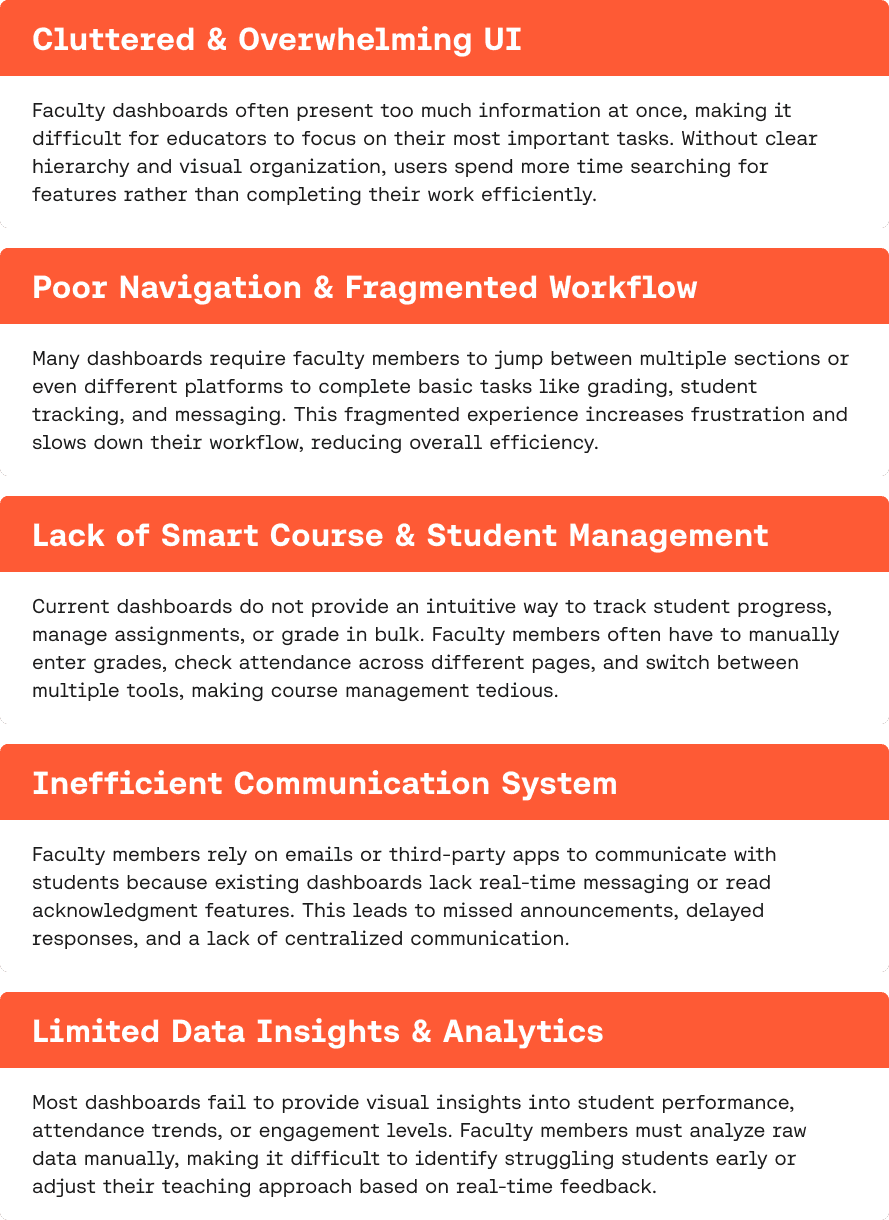
Existing faculty dashboards fail in predictable ways. Too much information on the home screen with no clear hierarchy. Tasks split across multiple platforms forcing constant tab-switching. No visibility into which students are disengaging before it becomes a real problem. Communication handled entirely outside the product through email and third-party apps.
The brief wasn't to add features to an existing system. It was to rethink the experience from the ground up for how faculty actually work.
Before any screens
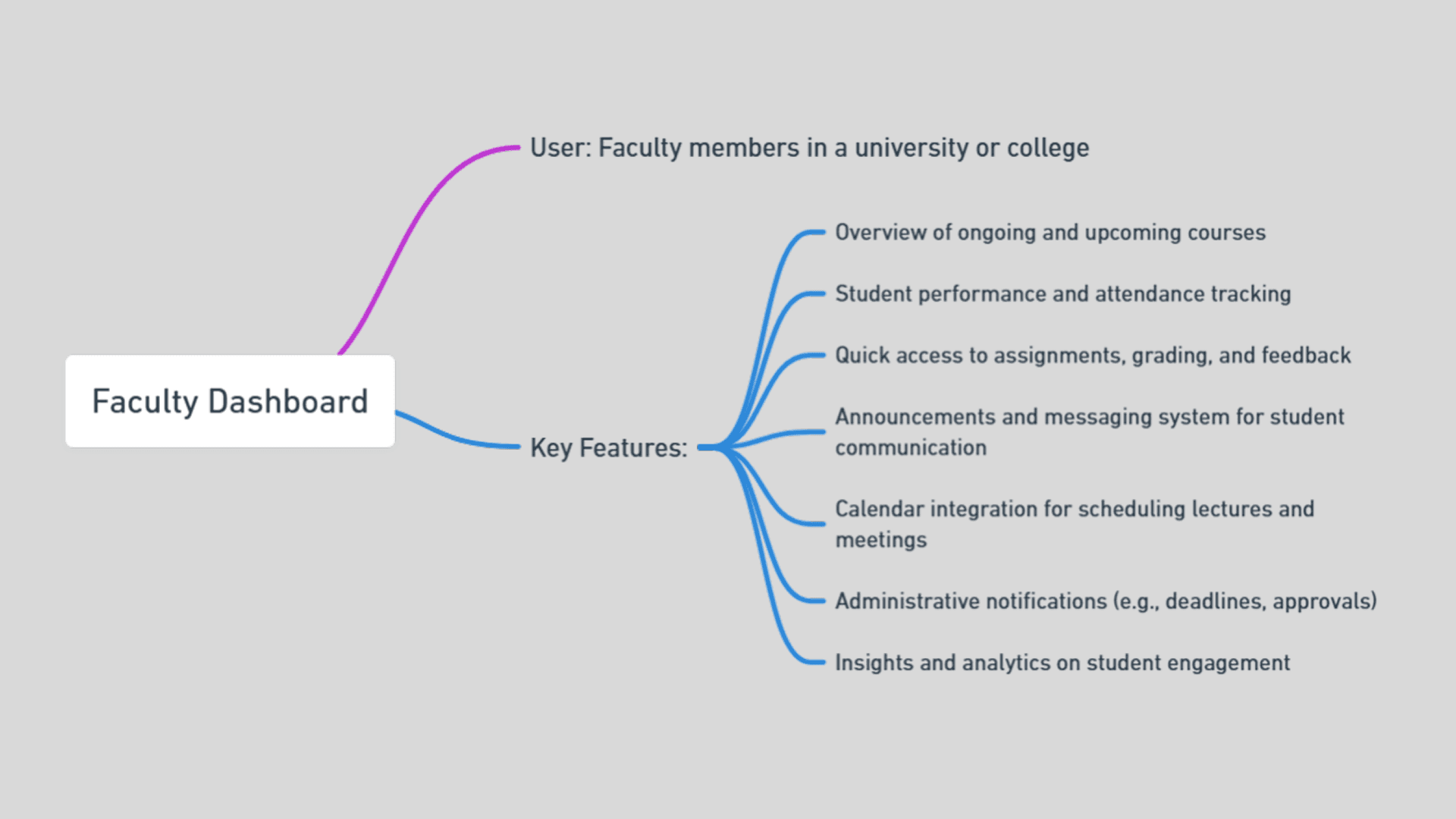
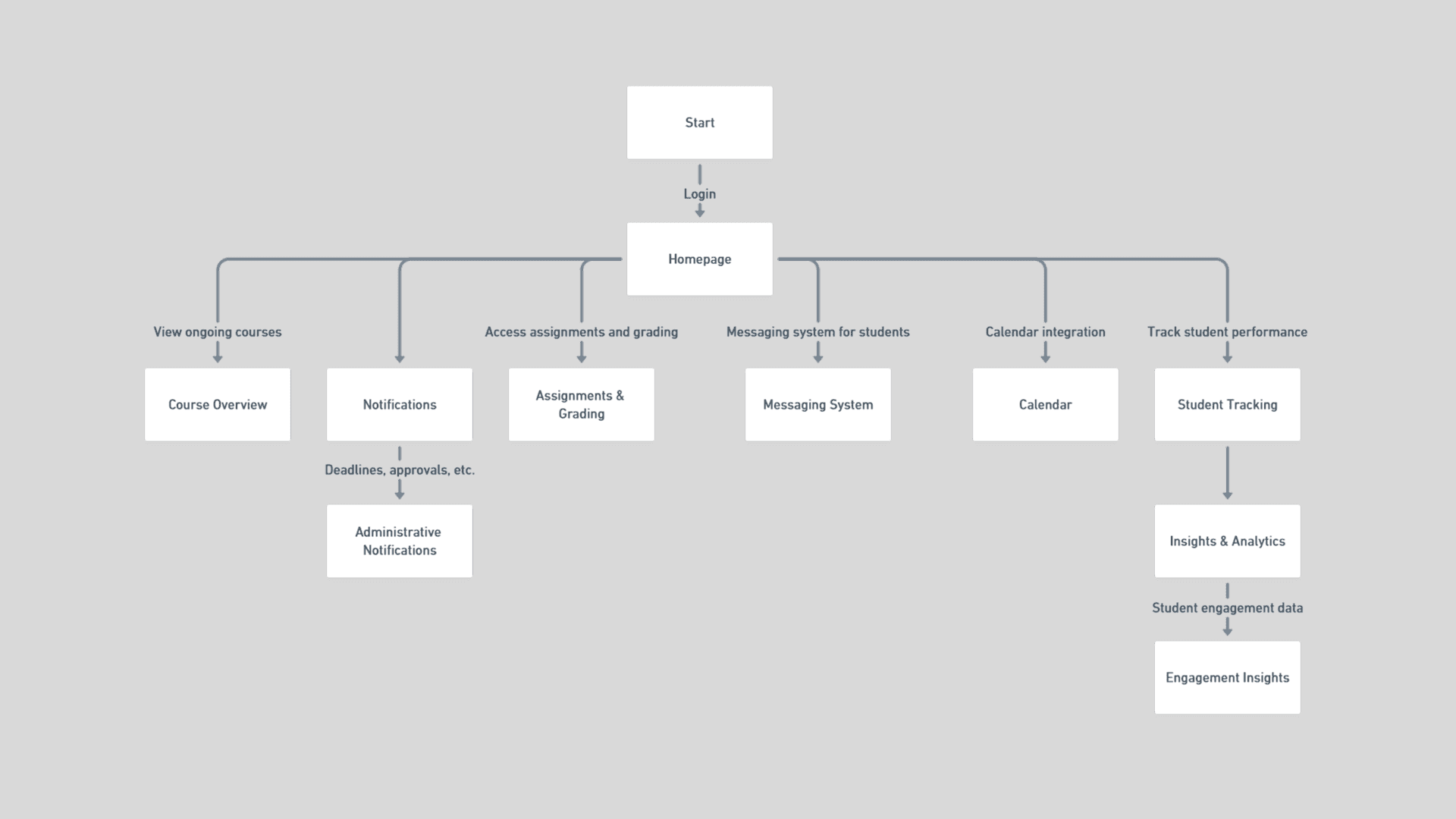
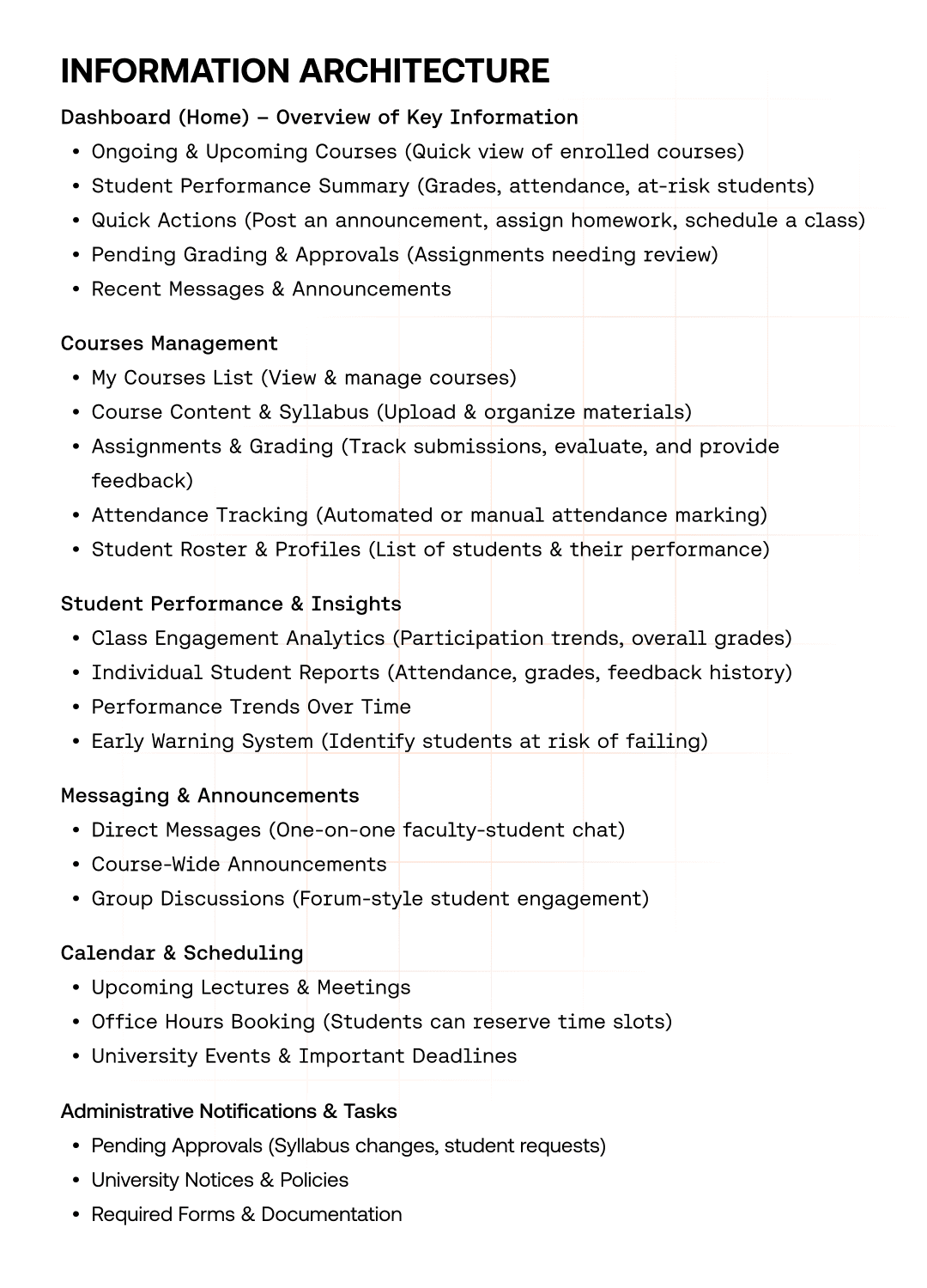
I started with a flowchart and a mind map to structure the information architecture. The flowchart mapped how a faculty member moves through their day, what they check first, what they need quick access to, what can sit deeper. The mind map identified where the real friction lived: not in missing features, but in fragmented access to features that already existed across tools.
That research shaped everything that came after.
THE DESIGN DECISION
What goes on the home screen?
This was the first real call. Faculty come to the dashboard multiple times a day with different intents, sometimes checking a specific student, sometimes reviewing upcoming lessons, sometimes clearing administrative tasks. A single home screen can't serve all of those equally.
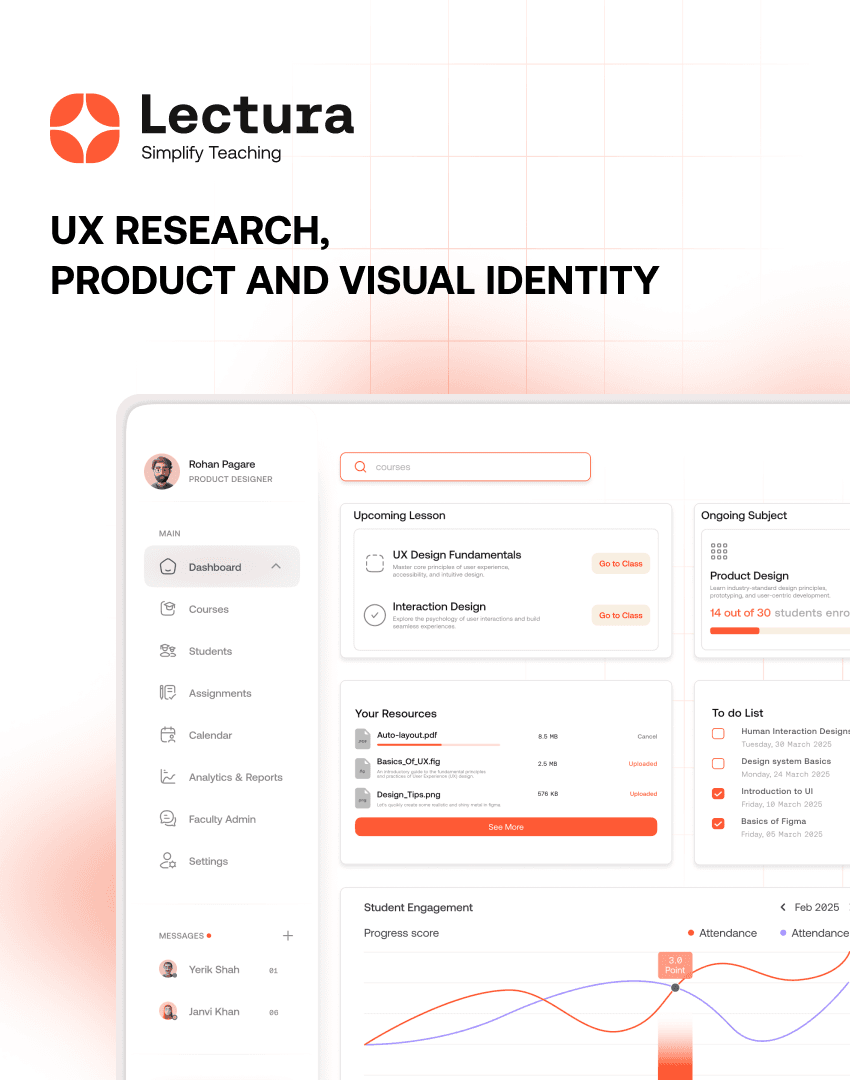
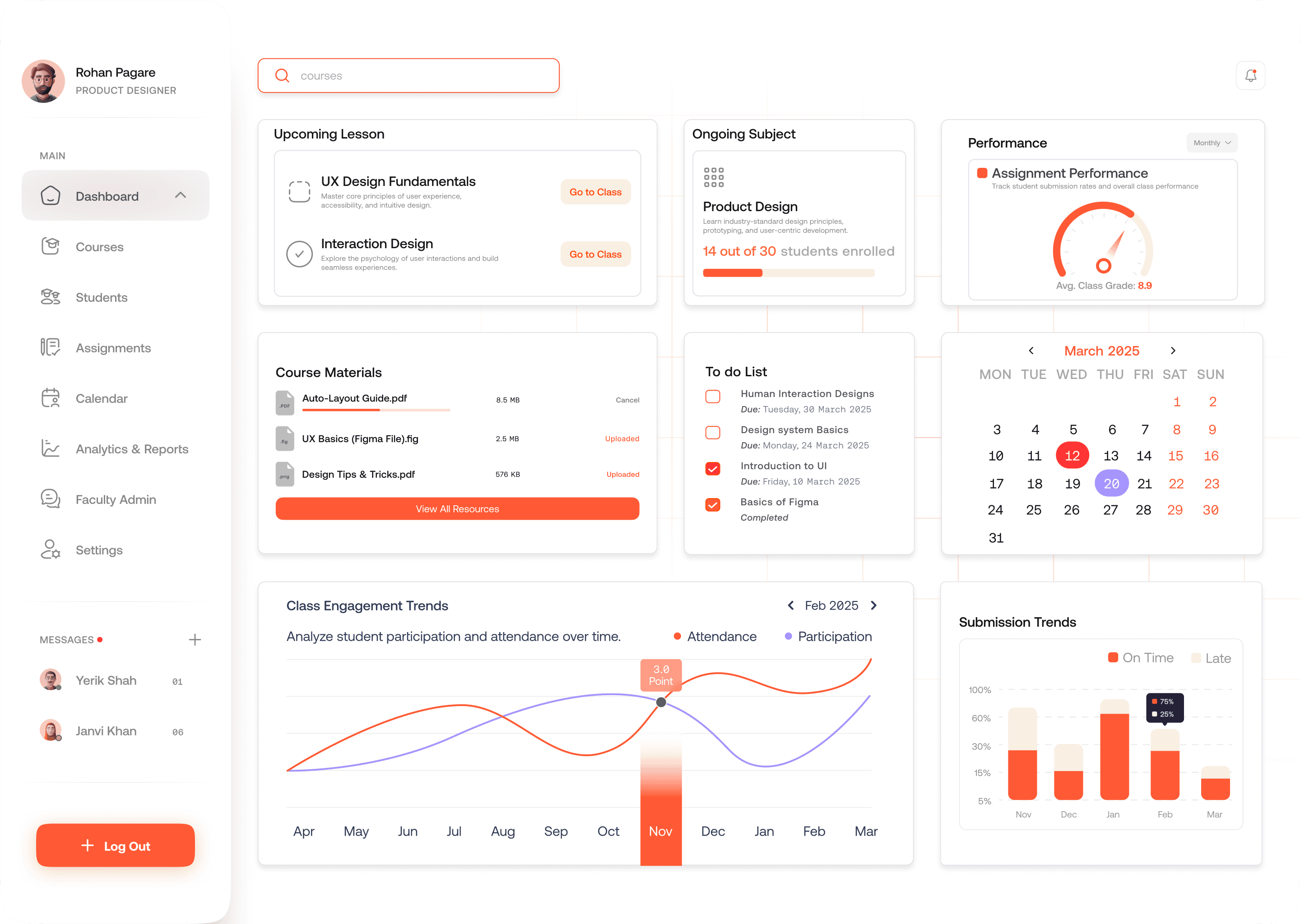
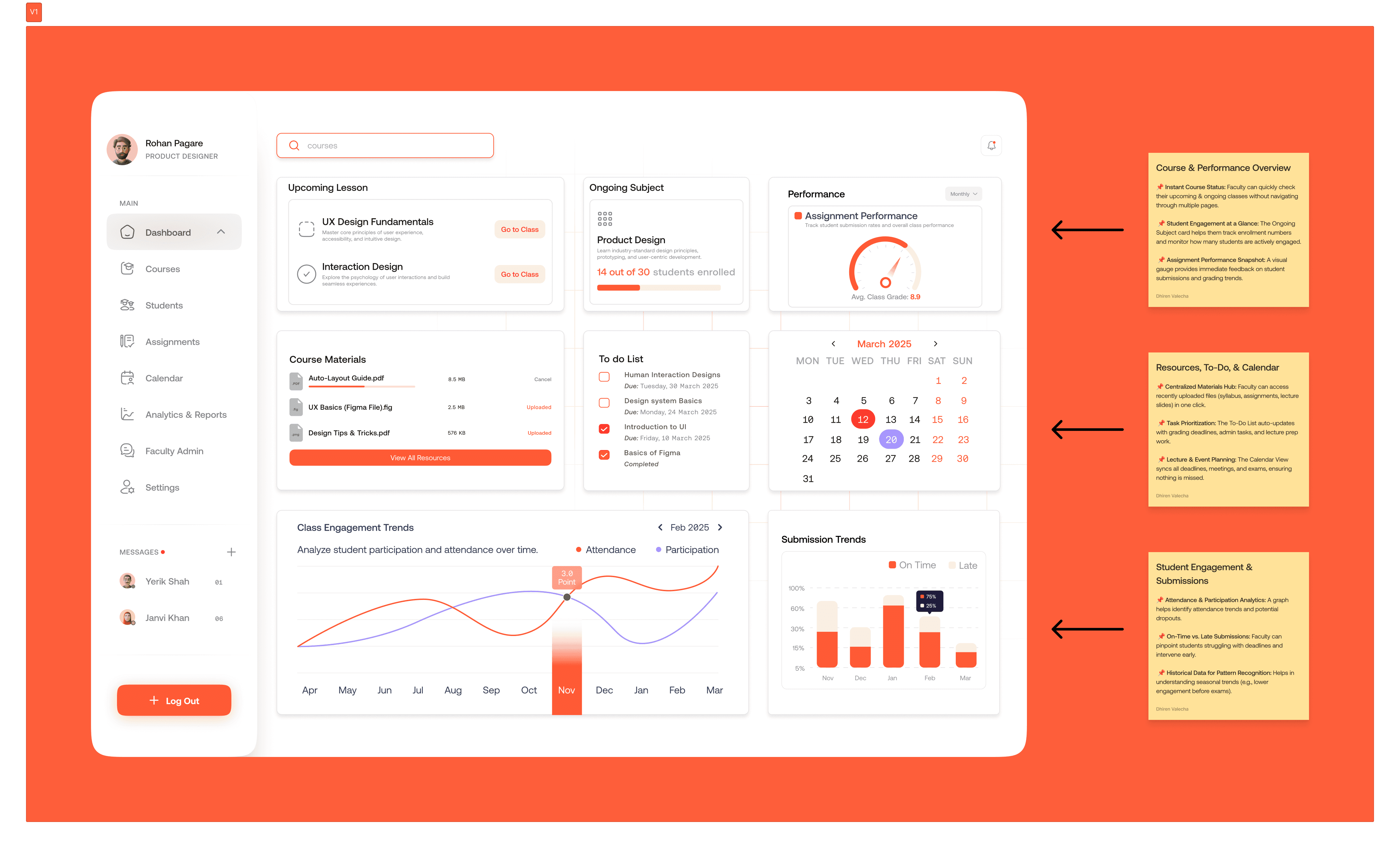
The solution was three distinct zones on the dashboard. The top section gives an instant read on courses and student performance, upcoming lessons, enrollment numbers, assignment completion rates. The middle section is the operational hub, course materials, to-do list, calendar. The bottom section is the analytics layer, attendance trends, submission patterns, early warning signals for students falling behind.
Each zone has a job. Nothing competes for attention it doesn't deserve.
Colour and type as functional tools
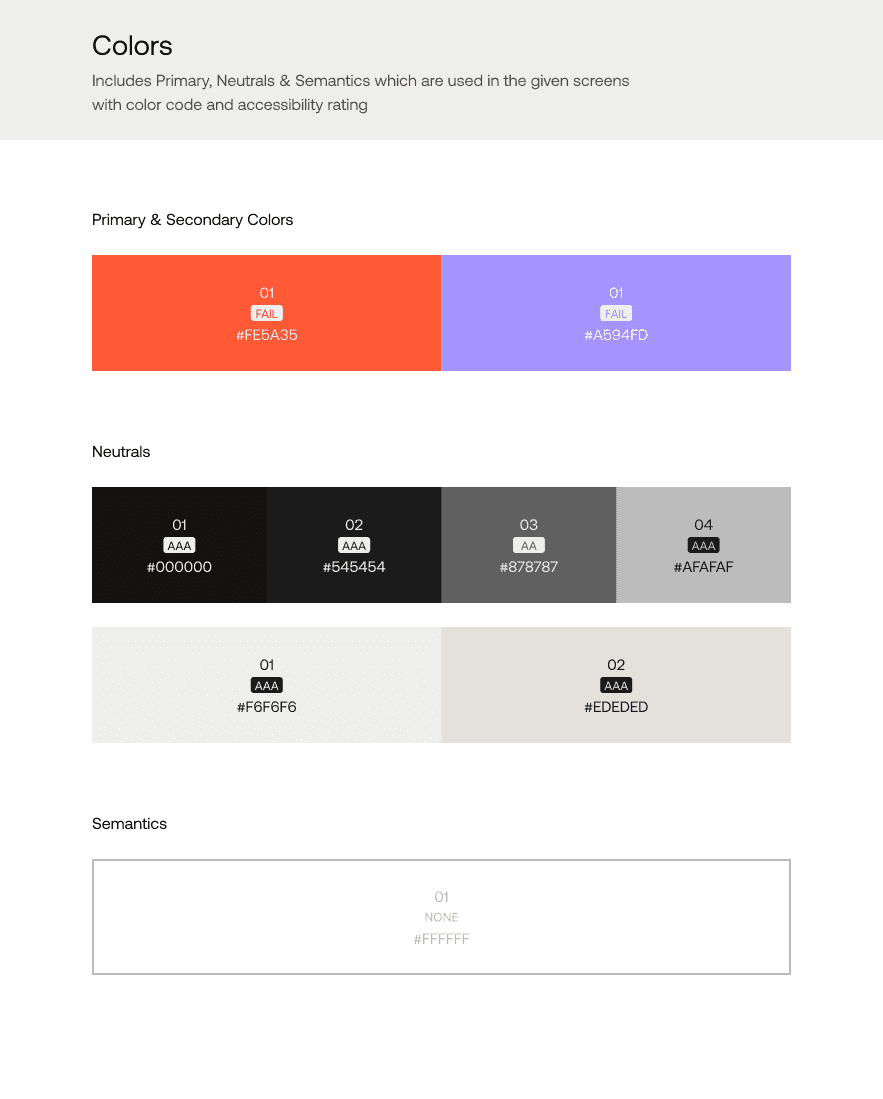
Orange for primary actions and urgent information, it draws the eye exactly where faculty need to act. Purple for secondary information that provides context without demanding attention. Neutral tones for everything that needs to recede.
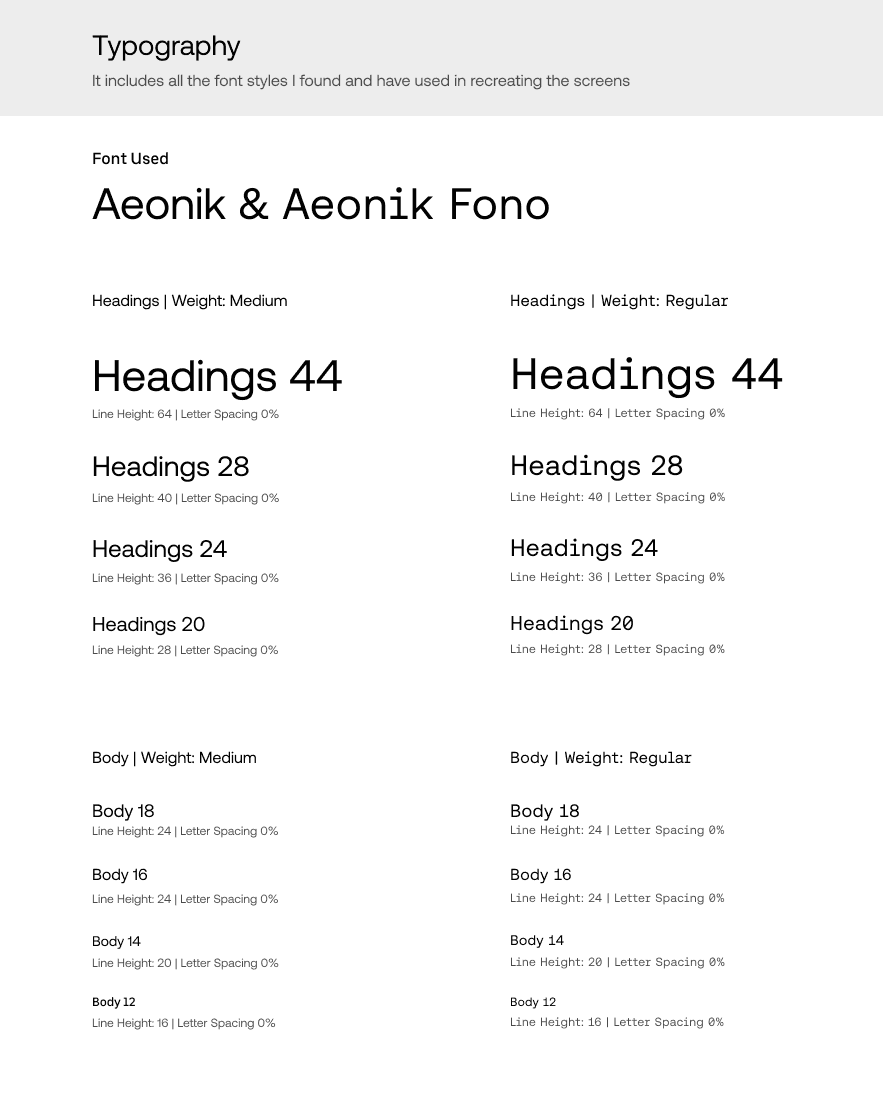
Typography was Aeonik and Aeonik Fono, geometric, modern, highly legible at the sizes a dashboard demands. The font choice wasn't aesthetic. A cluttered dashboard with the wrong typeface becomes unreadable fast. Aeonik's spacing and weight range gave the hierarchy room to breathe.
Analytics that actually help
Most dashboards show data. Lectura needed to show what to do with it. The engagement trends graph doesn't just show attendance, it flags the dip pattern that typically precedes a student dropping out. The submission trends chart separates on-time from late by student, not just by assignment, so a faculty member can spot a struggling individual rather than a classroom average.
The difference between a reporting tool and a useful tool is whether it prompts action. That was the lens every analytics decision went through.
What I'd push further
The to-do list is functional but static. A smarter version would surface tasks based on proximity to deadlines and student risk signals, so faculty don't have to prioritise manually. That's the next layer this product needs.